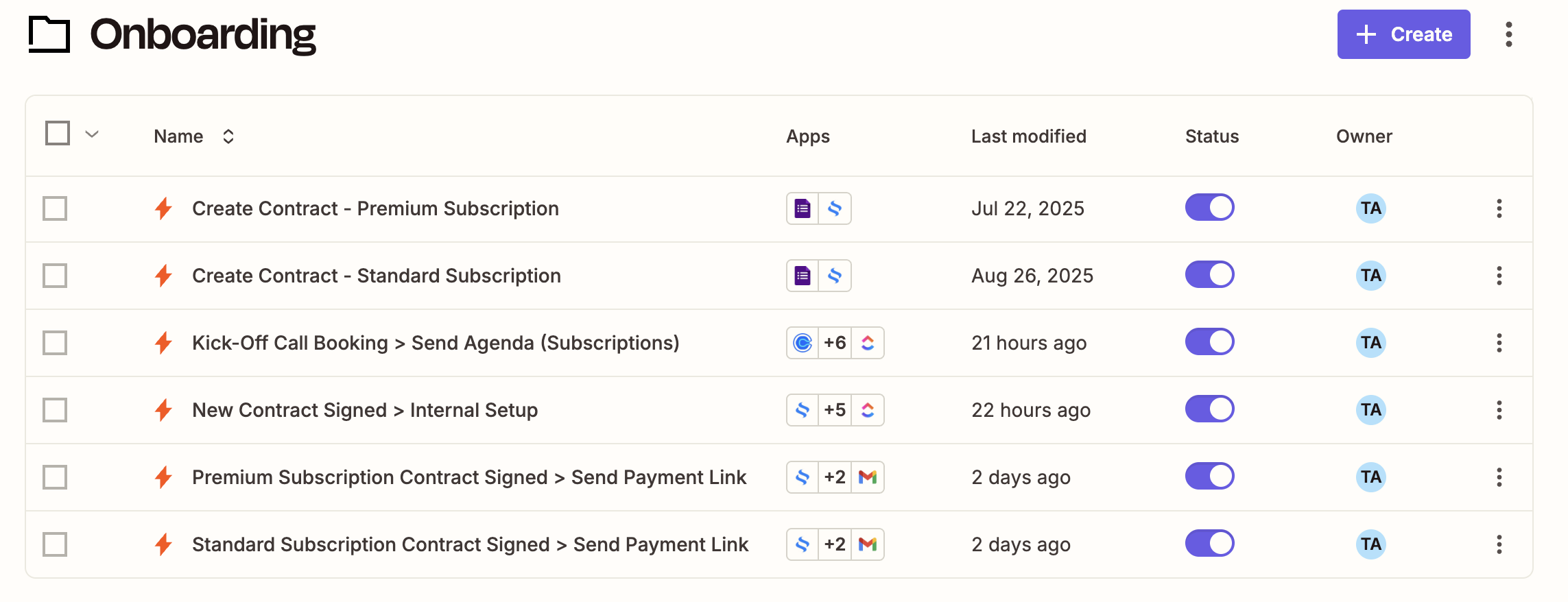
We’re big believers in automating before things feel unmanageable.
So when we started building out The Automated Agency’s client onboarding process, we had a choice:
- Spend our time sending contracts, nudging people to book calls, and copying checklist templates into ClickUp…
- Or build simple, reliable client onboarding automation to do it all for us.
We went with option B and we haven’t looked back.
Today, when someone signs up for one of our subscription plans, they’re onboarded in minutes without us lifting a finger (our founder, Olivia, once made lunch and came back to multiple email notifications – a months-old prospect had signed up, signed their contract, made their payment, and booked a kick-off call before she saw anything!). It all runs on just 6 Zaps, built in Zapier, connected to tools we were already using. Here’s a peek under the hood.
Zaps #1 & #2: Contract Generation from Form Submissions
We have two main subscription tiers, so each has its own onboarding form.
As soon as a form is submitted, Zapier generates a custom contract (including the client’s name, business details, and selected plan), pulls in our standard terms, and sends it via our esignature platform.
What used to take 10–15 minutes per client now happens in seconds. And it’s mistake-proof.

Zaps #3 & #4: Welcome Emails + Kickoff Call Booking
Once the contract is signed, the client gets a warm, friendly welcome email — again, tailored to their tier.
This email includes:
- A quick summary of what to expect next
- A payment link (because automation can’t do everything… yet)
- A link to book their kickoff call with us
Everything they need to feel confident and supported is right there, and we don’t have to manually follow up or copy/paste anything.

Zap #5: Internal Setup in ClickUp
While the client is checking their inbox, our internal systems are spinning up.
This Zap creates:
- A new ClickUp list for their account
- A customized kickoff call agenda from a template
- Task assignments for our team so everyone’s looped in and ready to go
Notice how things get more complex as our business logic and processes branch out.

Zap #6: Prepping Onboarding Materials
We’re not fans of starting client calls with, “So… what do you want to talk about?”
Every new client gets a structured kickoff agenda that sets the tone, outlines what we’ll cover, and helps everyone come prepared. Zapier takes care of it automatically.
Here’s how it works:
- As soon as a client signs their contract, this Zap copies our kickoff agenda template (stored in Google Docs)
- It customizes it with the client’s name, plan type, and any notes from their onboarding form
- Then it sends the doc to both the client and our team via email
- Finally, it adds the agenda link directly into their ClickUp list for easy access
No one’s digging through inboxes or Slack threads to find it — it’s right where it belongs, every time.

Why It Matters
This isn’t just about saving time, though it definitely does that. It’s about creating a consistent, polished experience for every new client.
They feel taken care of. We stay organized. And we don’t spend our evenings chasing down forms or rewriting the same welcome message for the 27th time.
If you’re still manually onboarding clients, know this:
You don’t need a massive tech stack or a perfectly mapped SOP to start automating.
Just identify the repeatable parts, and start there.
That’s what we did, and it’s made a world of difference.
Want help setting up your own onboarding automations?
Let’s talk. We’re literally obsessed with this stuff.